About sending messages in game and in Discord radio channels
📻 Radio Rules
🎙️ Public Radio
- The public radio channel is In Character but you type your message there in Discord. You do not need to use range or say where you're speaking from. Radios will generally reach people anywhere on the map.
- In-Game, local characters may know the most used channel on the radio for people to talk is 100. That channel is handled entirely in-game by typing your words out loud with an unmuted walkie talkie. Conversations in /private cannot be heard by radio.
- Your voice may be recognized by others (which is why your character name must be in Discord). Voice changers or "unknown muffled voice" are not allowed at this time. If you'd like to propose an exception, open a crafting ticket to discuss.
- No music or extended tirades in public radio. That's what Broadcast Radio is for.
💰 Trade Radio
- Trade Radio Channel is In Character but you type your message there in Discord. You do not need to say your range or location.
- In-Game, local characters may know the most used channel on the radio for trade is 105. That channel is handled entirely in-game by typing your words out loud with an unmuted walkie talkie. Conversations in /private cannot be heard by radio.
- This channel is reserved for trade discussions. Whether it's advertising your wares, trying to find something to buy or arranging a meet up to trade, do it here. You can make a thread to organize your offerings if you like. Regular traders posts can be pinned here so folks can see them more easily.
Using the Radio
We've added a new RadioLine bot (Thanks Milo!) that handles Discord radio messages inside the Radio Channel. To use it, you must have Approved Character role.
Use the command /radio in the channel.
If you're pinging someone, use the target option.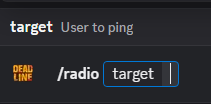
Once you hit enter, a box will pop up for you to enter the content: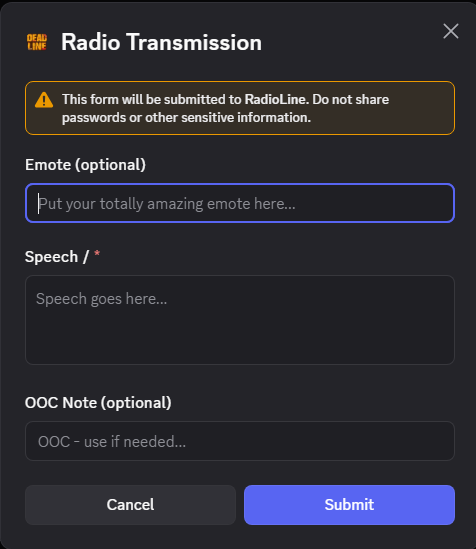
Select "Submit" when you're done and the message will be sent to the channel and create a thread for players to respond inside.